Lighting for DJs and lighting techs, in one program
The light show that knows your songs.
Show-Zentrale learns your music once by listening. After that it runs every show by itself: intro, build, drop and break fitted to the song, not just the beat. Lighting, visuals, laser, phone, MIDI and DJ link live in one program.
Download free for WindowsHow it learns songs
Start tier without an account. 14 days of Pro free, no card.
Learned songFisher, Losing It
PhaseDrop
Bar33
Tempo126 BPM
Beat from Pro DJ Link
What sets it apart
Learn songs instead of programming
Other programs react to the beat. Show-Zentrale knows the song. Heard once, it knows where the drop comes, where the chorus starts and how much energy a section can take.
Listen
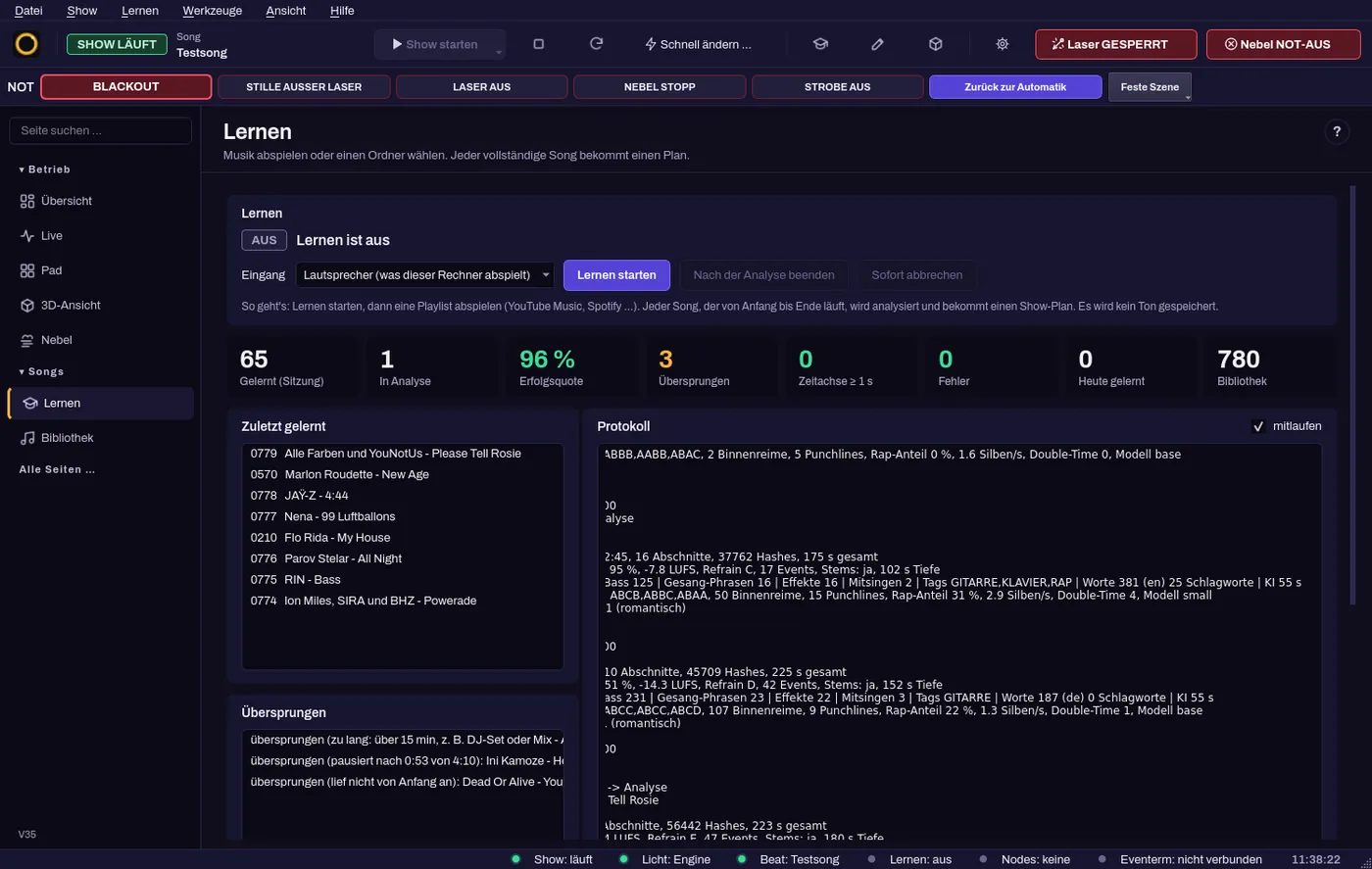
“Start learning”, then play a playlist. The program listens to your computer's output. No audio is stored and nothing is uploaded.
Understand
Each song gets a sound fingerprint and a show plan: sections, chorus, drops, energy, key, vocal phrases and tempo. A song takes as long as the song.
Recognise
Live, the program recognises the song within seconds by its sound and runs the phases ahead instead of behind. Unknown songs run in the style of the night.
What the program learns per song
- Sections: intro, groove, build, drop, break, outro
- Chorus and bar one
- Drop in advance
- Loudness and energy
- Key, also in DJ notation
- Vocal phrases and pauses
- Tempo and tempo changes
- Mood and style
- Accents: flashes, risers, fills
- Vocals, bass and drums separately
Remote control
Your phone is the second desk
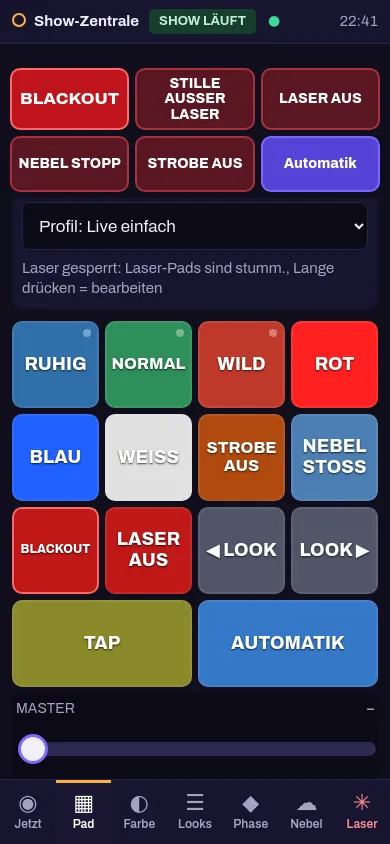
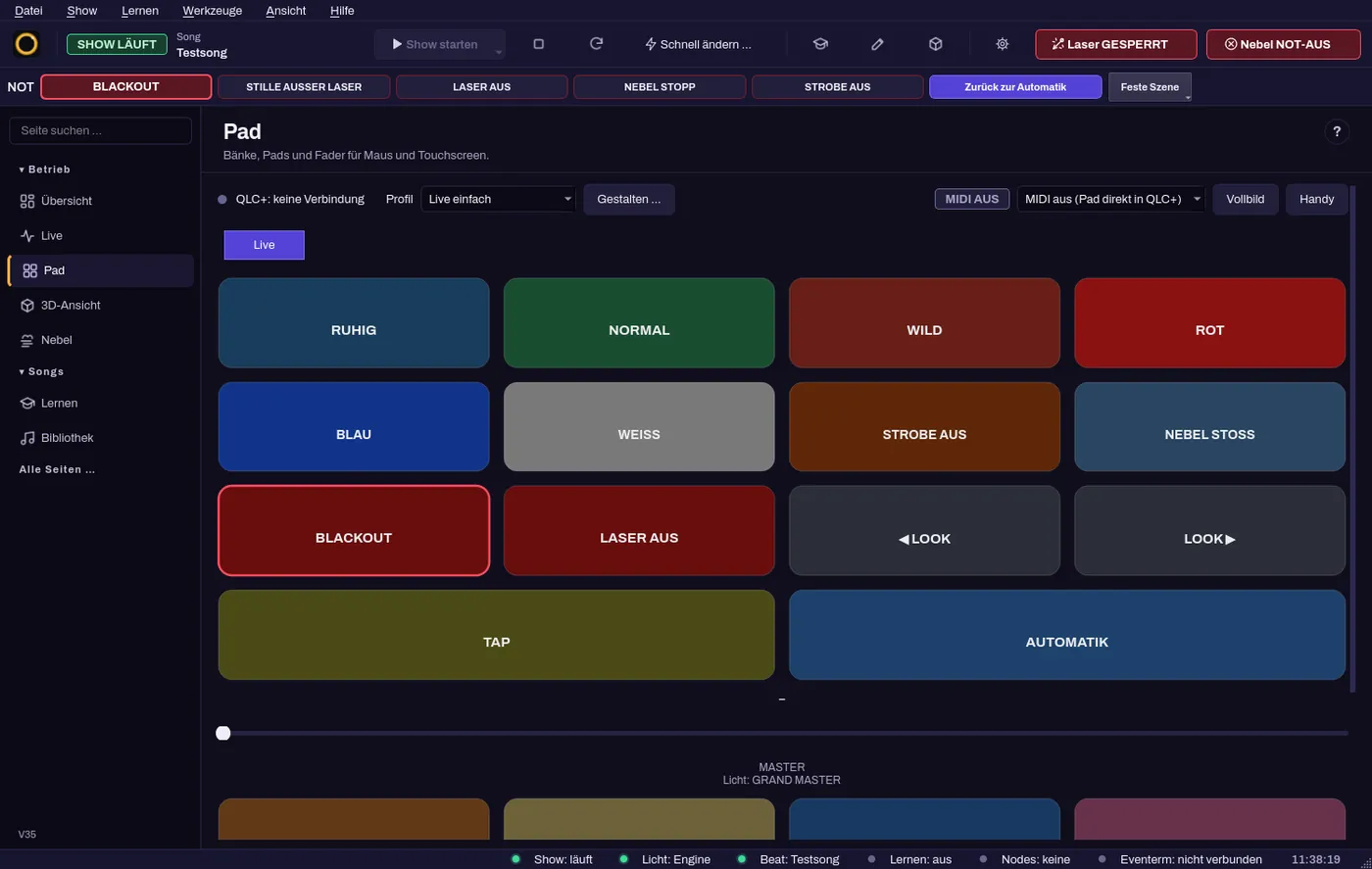
Scan the QR code on the Pad page, done. Every phone on the Wi-Fi becomes a remote, several at once. No app, no login, no internet needed.
- Emergency bar on top: blackout, all off keep laser, laser off, fog stop, strobe off, automatic
- Now page: song, phase, bar and tempo at a glance
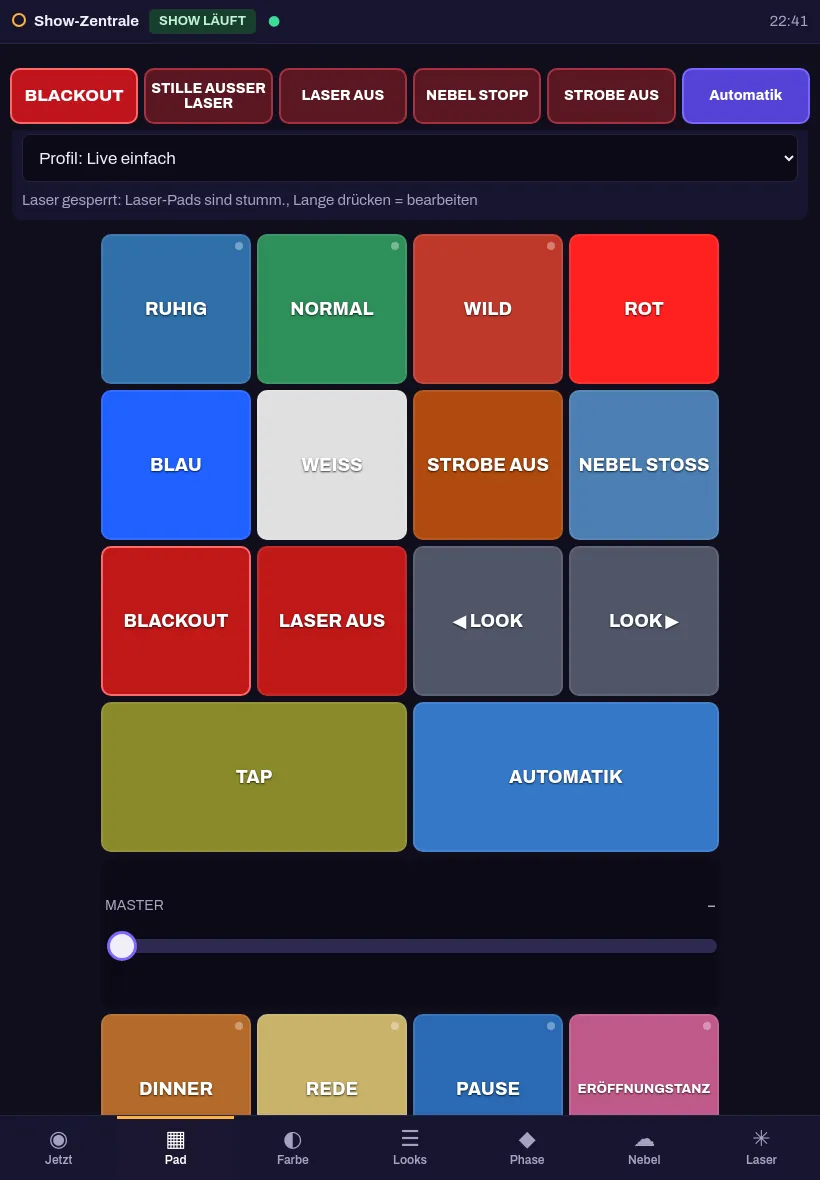
- Pads with colours, looks, phases, fog burst, tap tempo; free layouts, also on the phone
- Faders for master, tempo and fog burst, colour wheel, looks, fog and laser on their own pages
- Tablet with large pads, landscape with navigation on the left
- Pair by QR code or PIN, devices can be revoked in the program at any time
Instead of four programs
Everything in one program
Lighting control, music recognition, visuals, laser, phone remote and planning are one program with one interface. Nothing has to be connected or kept in sync.
Sound to light
from Start
- Phases, palettes and accents from the music
- Night style, fixed scenes
- Emergency bar, fog, strobe cap
Learn music
from Start
- Learn songs by listening
- Live recognition in seconds
- Drops and bar one in advance
- Start: 20 active songs, from DJ without a limit
DJ link
from DJ
- Pioneer Pro DJ Link, Denon StageLinQ
- VirtualDJ, Ableton Link, MIDI clock
- rekordbox, Serato, Traktor history
Phone and MIDI
from Start
- Phone by QR code, several devices
- MIDI learn, Launchpad, APC, X-Touch
- Free pad layouts
Light design
Pro
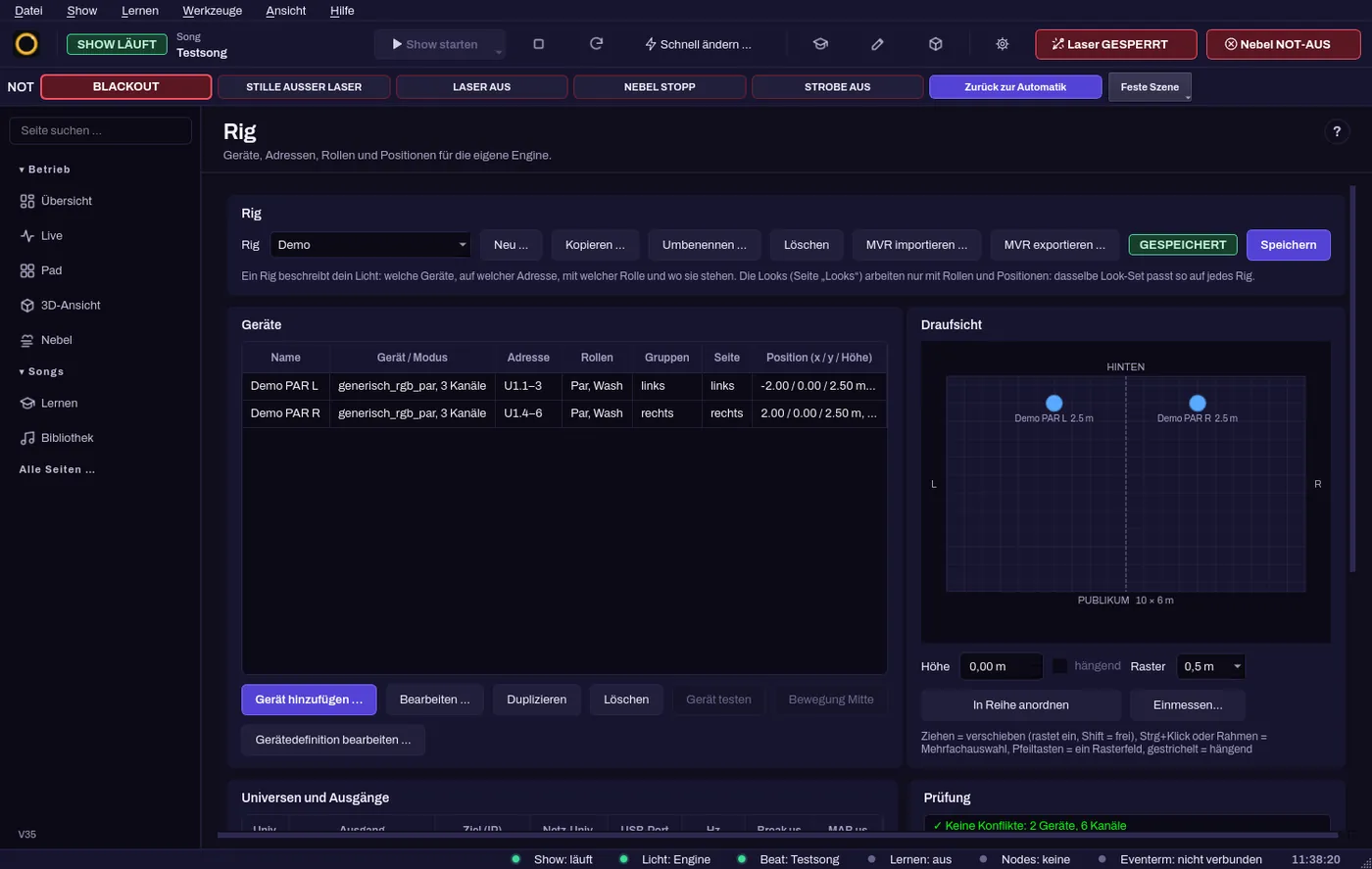
- Rig from roles, patch, universes
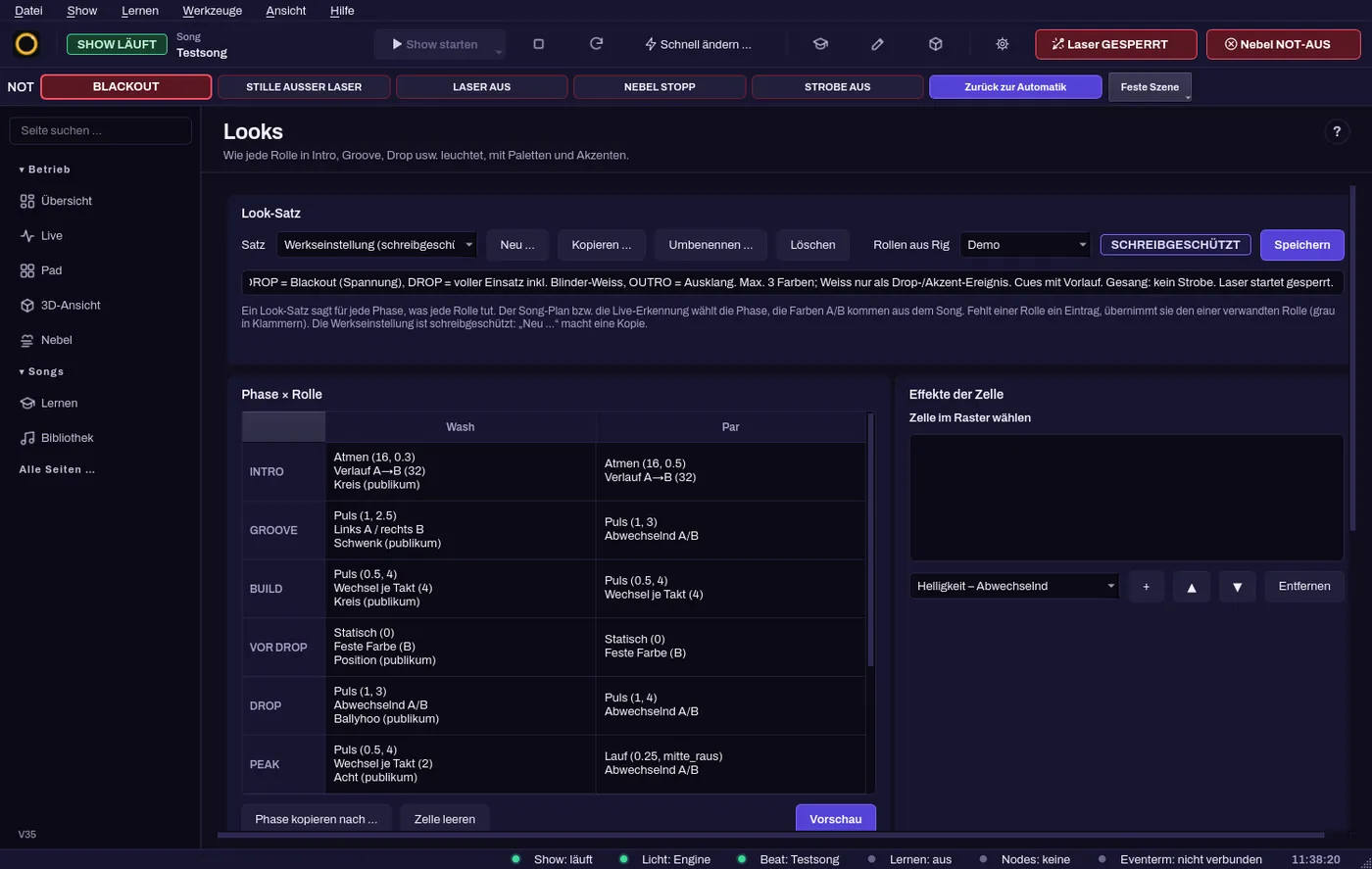
- Looks, scenes, programmer
- Import QLC+, SoundSwitch, MVR
3D and visuals
from DJ
- 3D view of your rig
- Projector with logo layer
- Pixel mapping with video (Pro)
Laser
Pro
- Laser interfaces: Ether Dream, Helios, network
- Sets per phase
- Lock, audience zone, protection against a stopped beam
Planning and acoustics
Pro
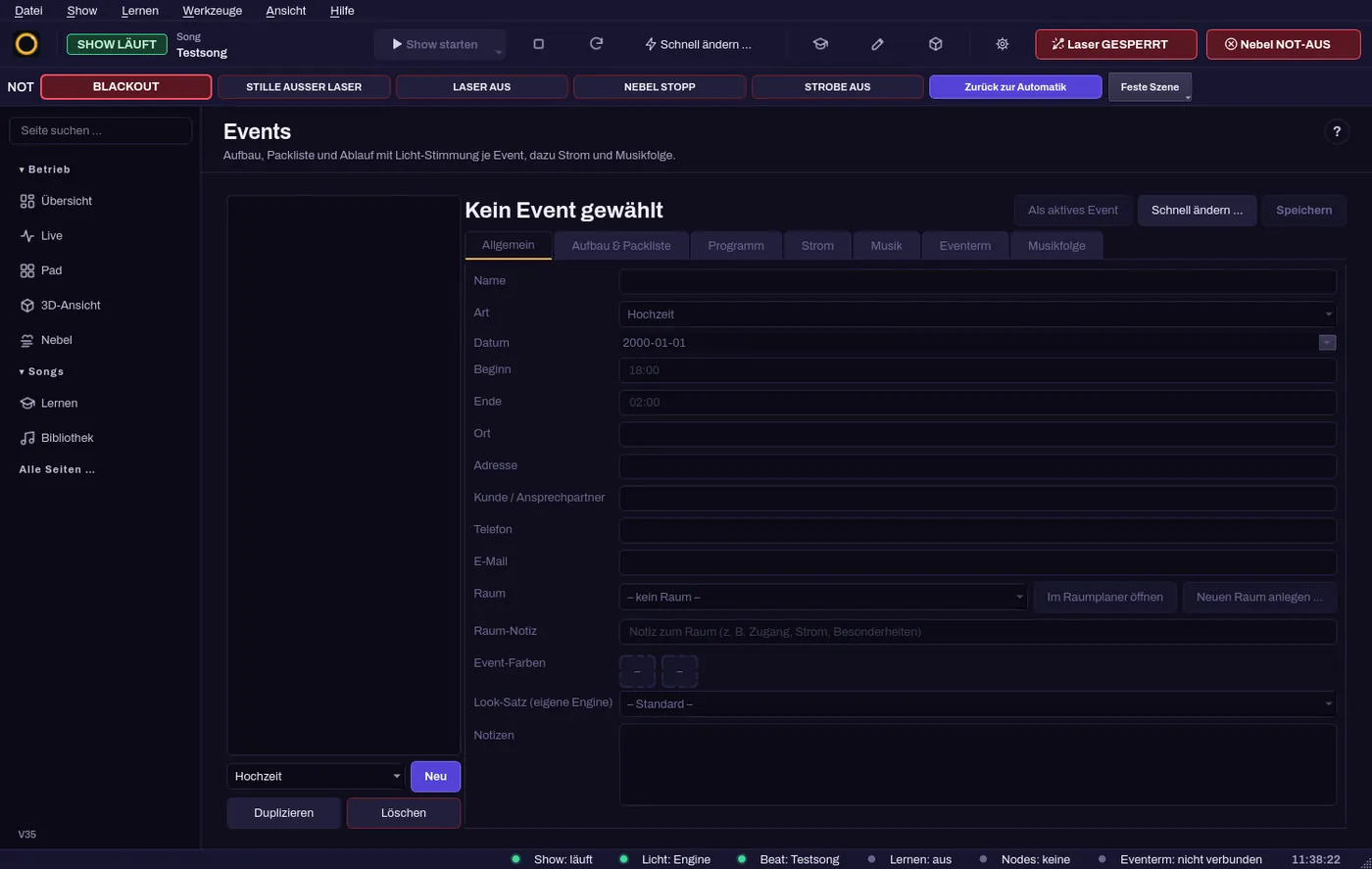
- Events, packing list, power, set list
- Inventory with inspection dates
- Room planner and measurement
Safety
always
- Blackout from anywhere, F12
- Shutdown or crash goes dark
- Laser locked at start
Eventerm terminals
with Eventerm plan
- Guest song requests in the program
- Terminal light follows the show
- Settings and firmware from afar
In use
Shown briefly
From the program
What it looks like
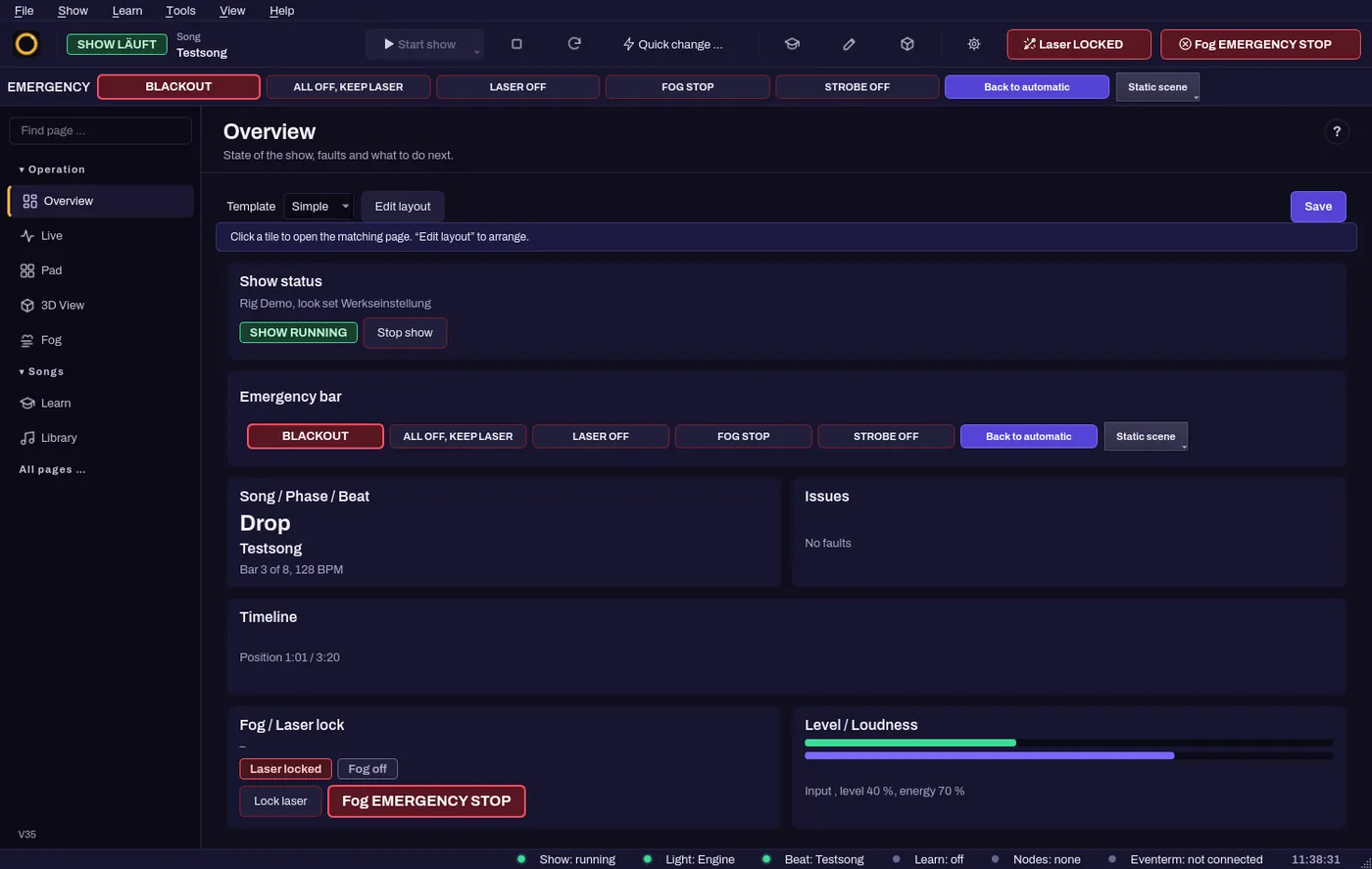
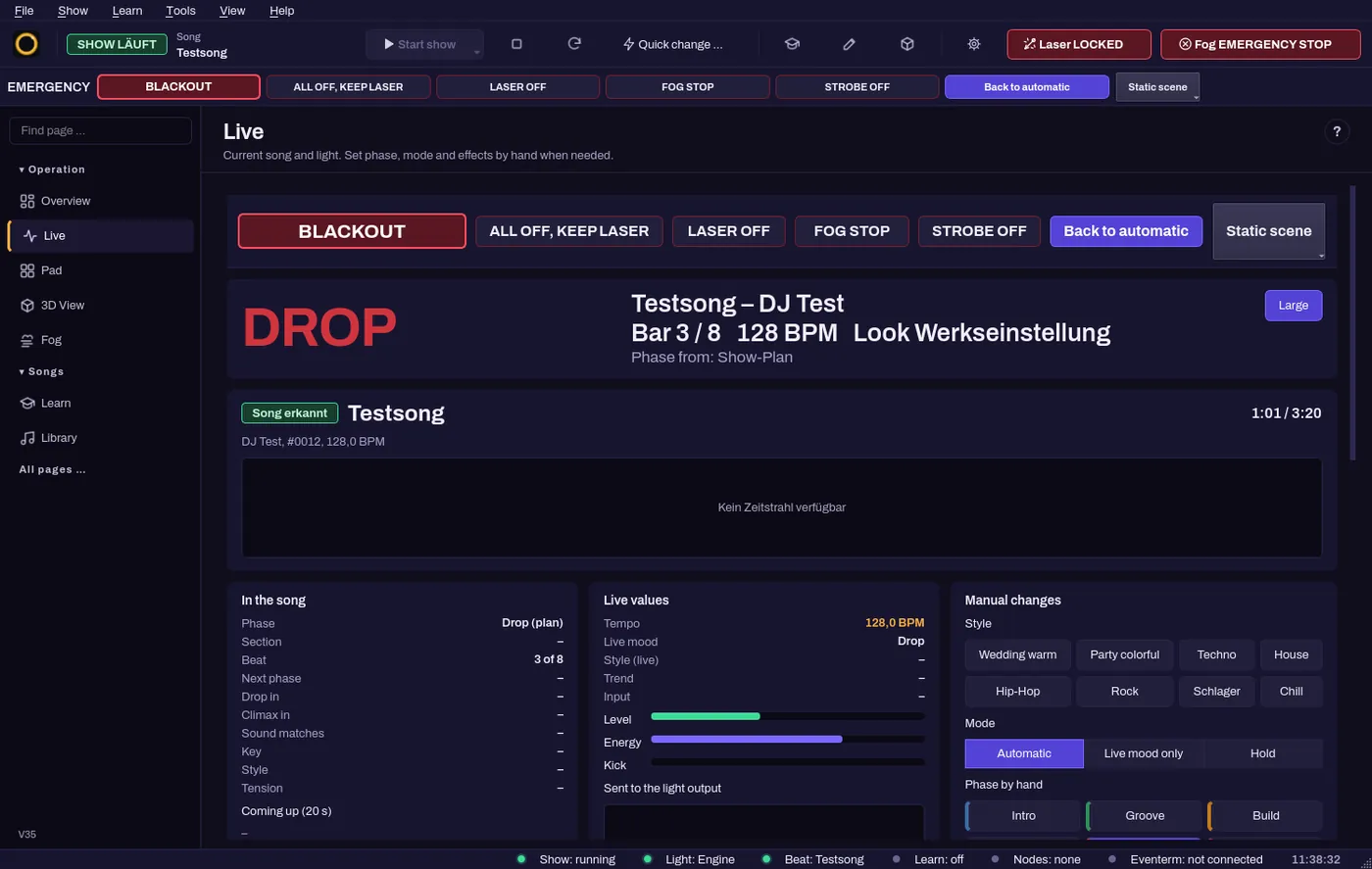
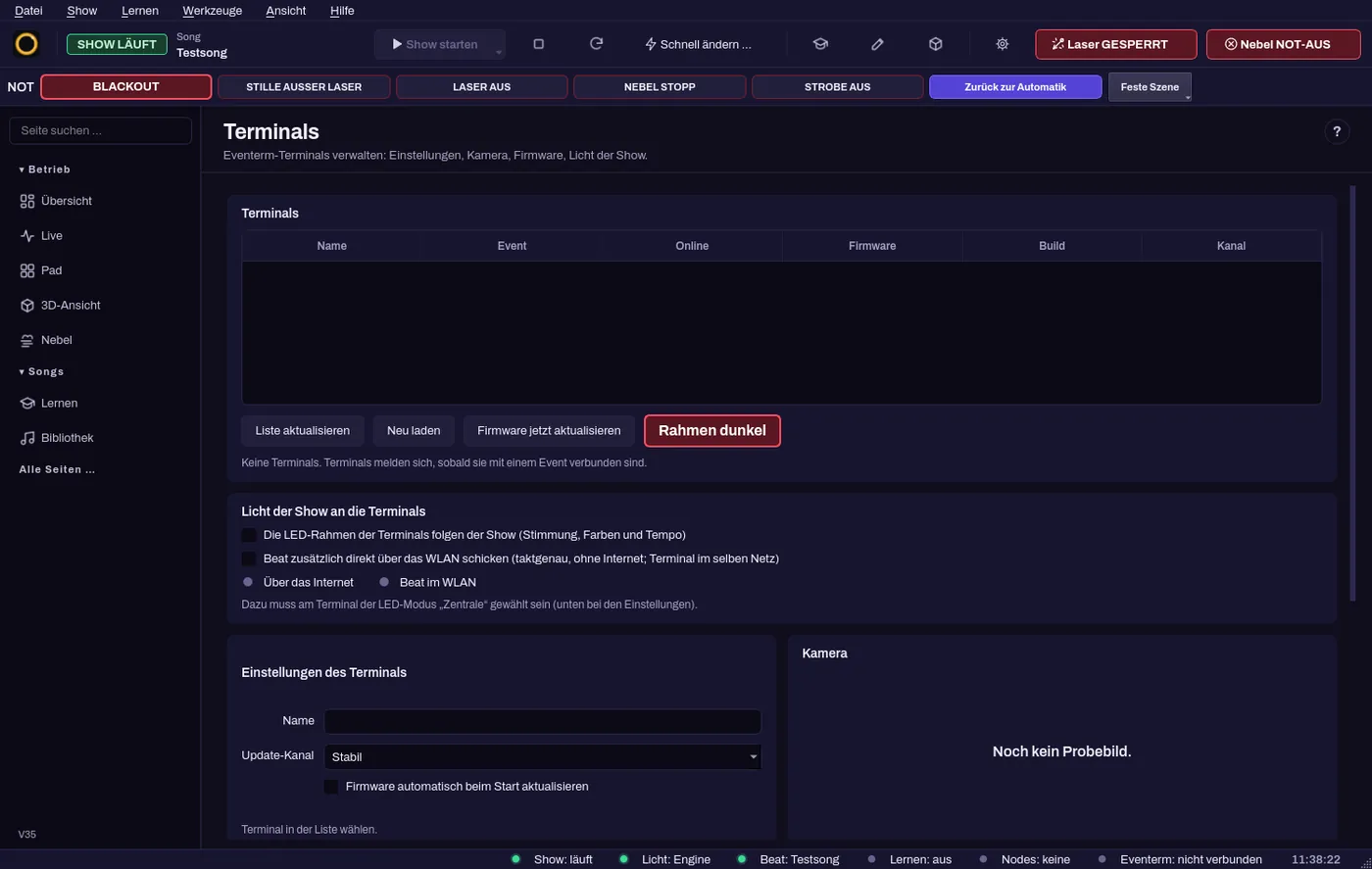
Most screenshots show the German interface. The program itself runs in German and English.
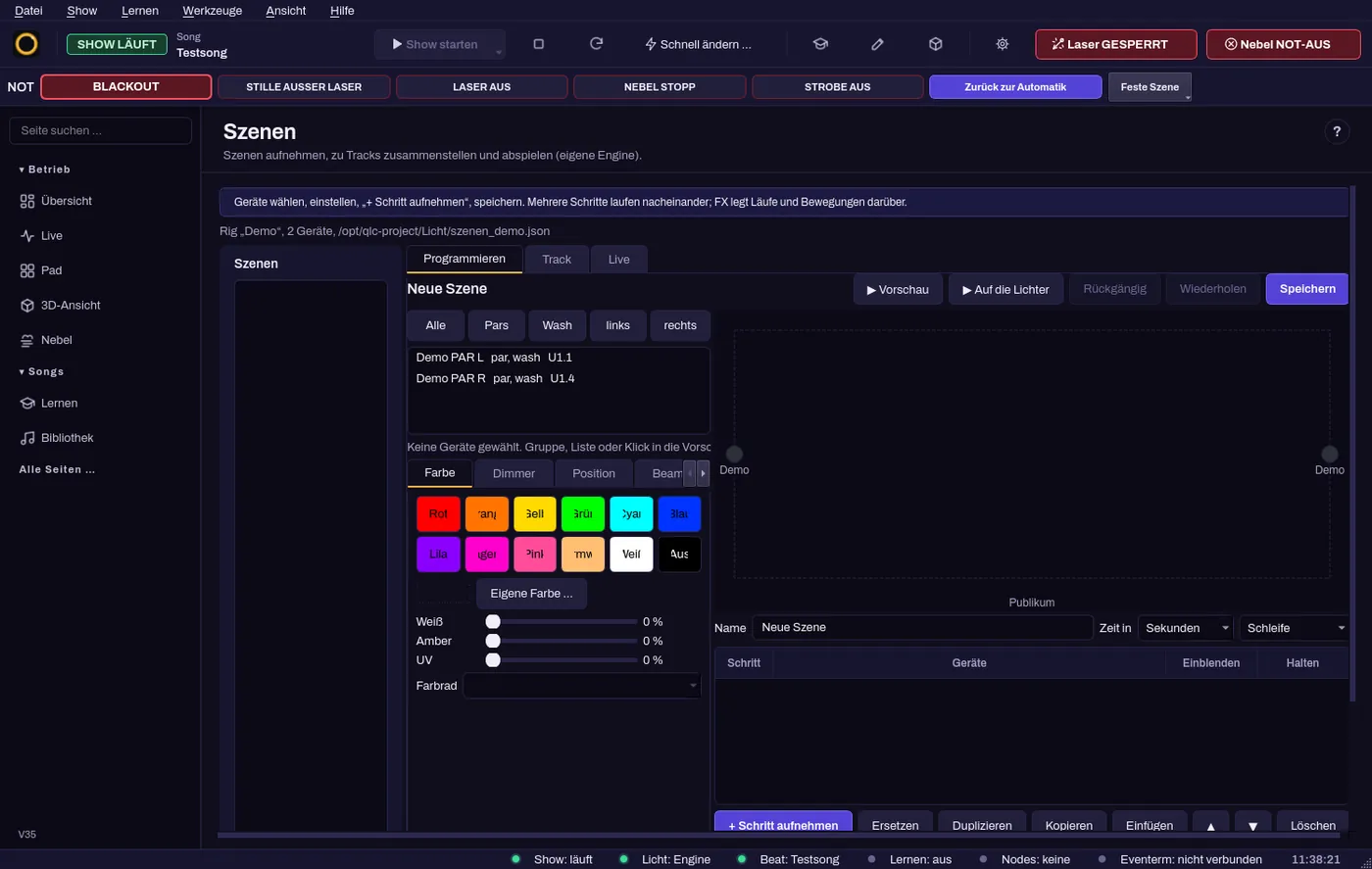
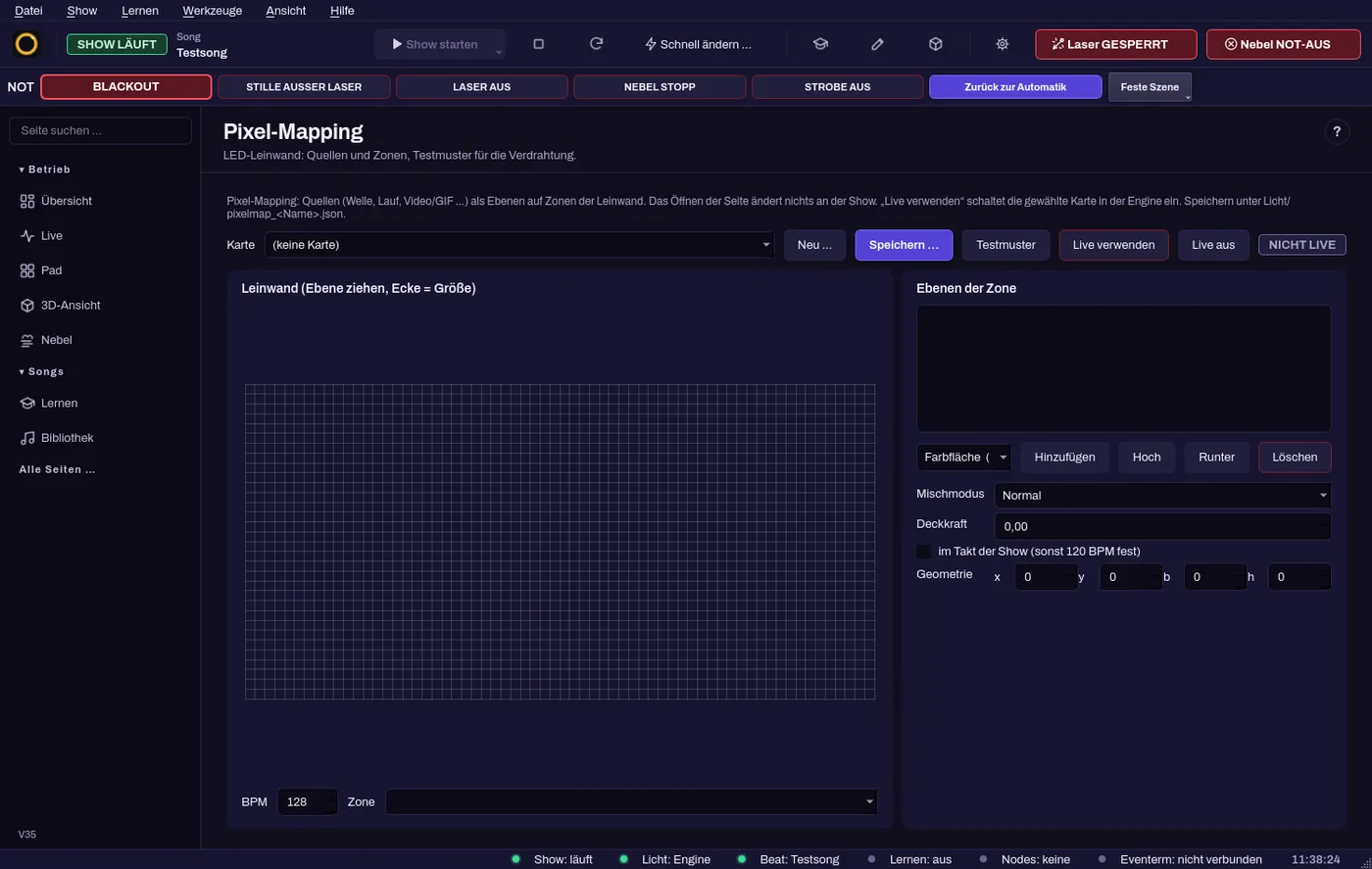
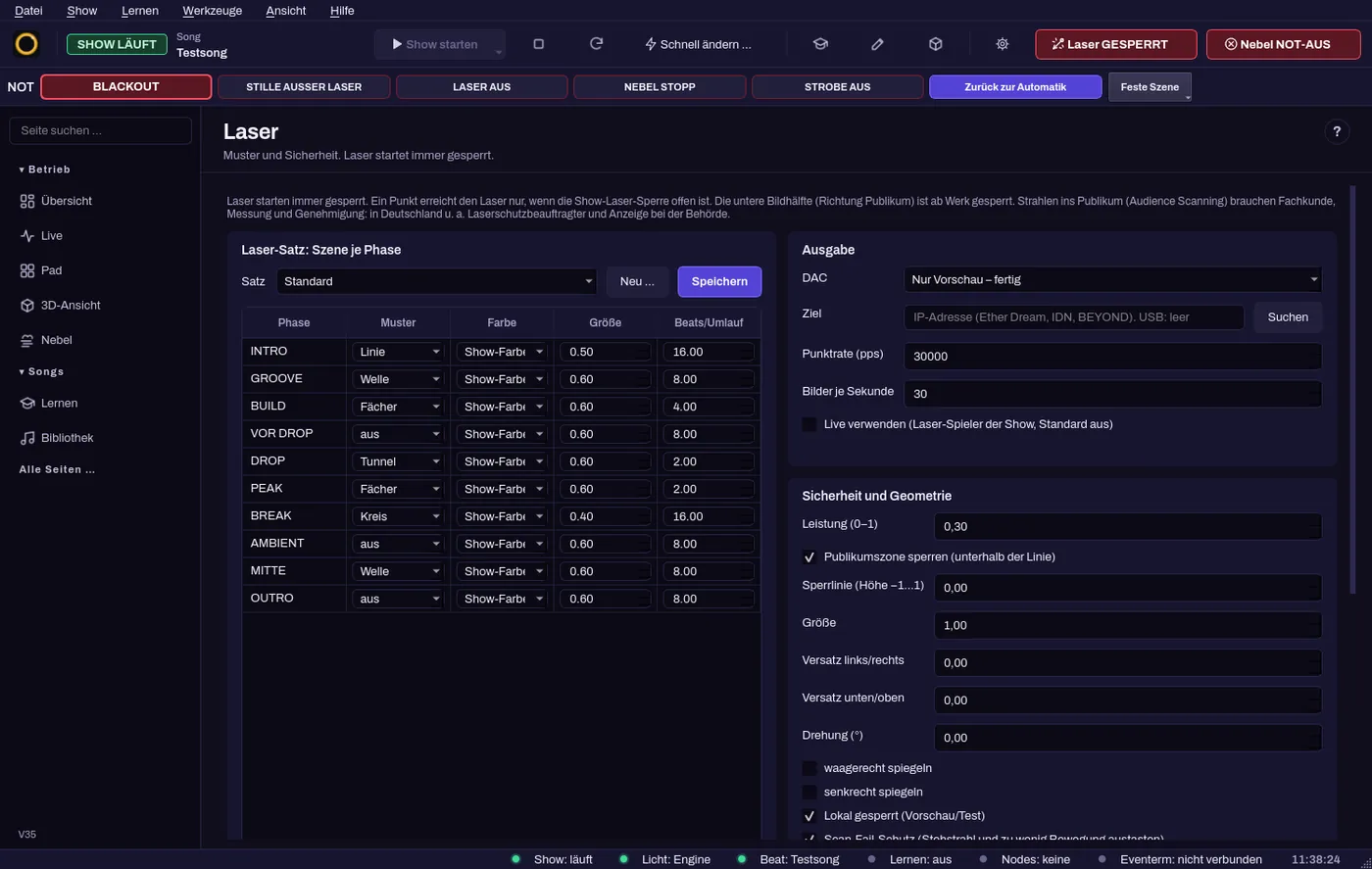
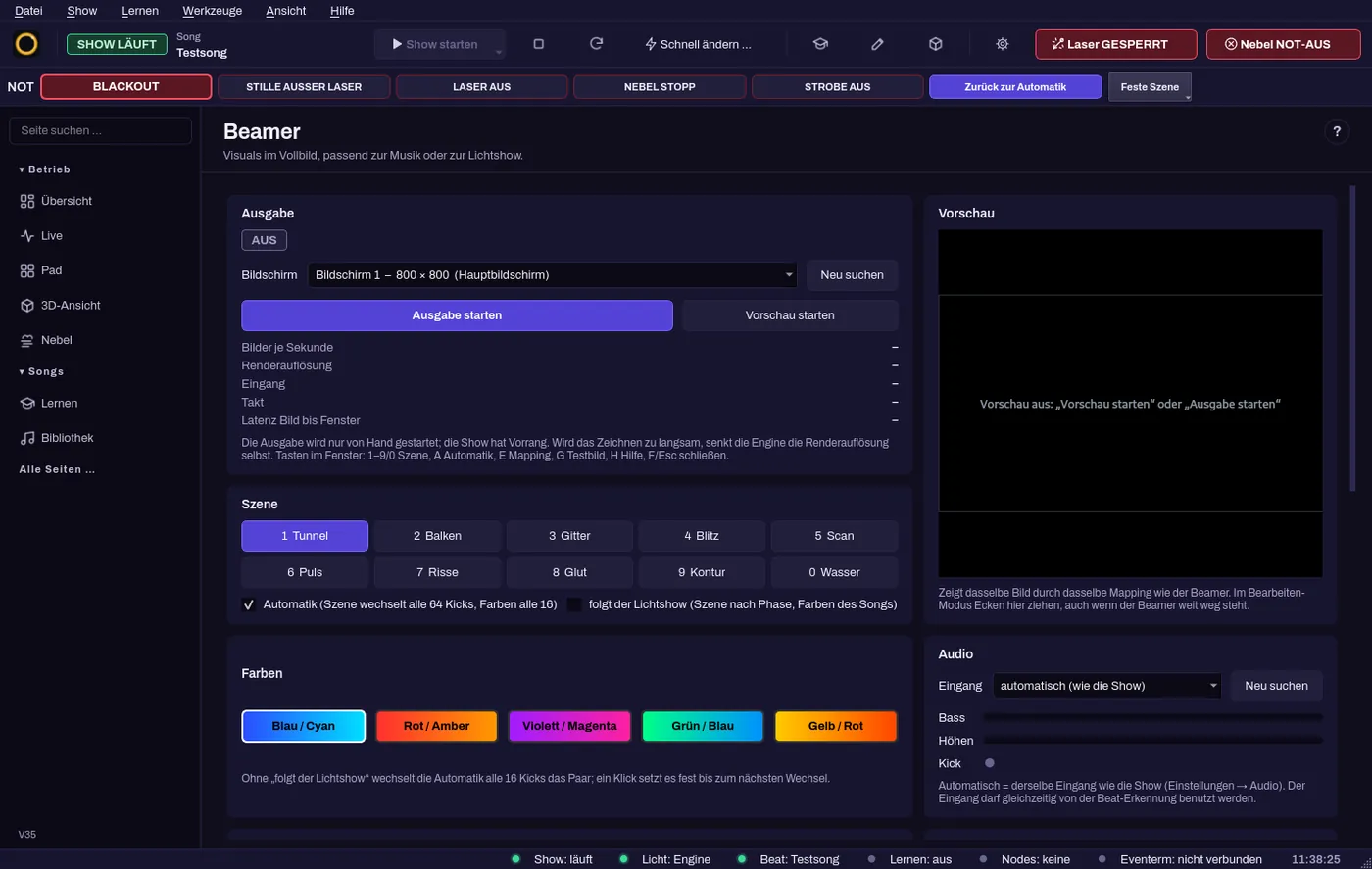
One evening
How an evening goes
Connect
Audio from the mixer or a microphone into the PC, DMX through an Art-Net node or a USB interface. First run asks for both, you pick your fixtures from the library, then a 20 second test run.
Start the show
The program listens. Learned songs are recognised by their fingerprint and play their phases. Unknown songs run in the style of the night: wedding, party, techno, lounge.
Step in when you want
F12 goes dark, always. Dinner, speech, break and first dance sit on one button as fixed scenes, on the phone too. Then back to automatic.
Works with
- Pioneer CDJ and XDJ (Pro DJ Link)
- Denon SC6000, SC5000, Prime (StageLinQ)
- VirtualDJ (OS2L)
- Ableton Link
- rekordbox, Serato, Traktor, Engine DJ (history files)
- Art-Net nodes
- USB DMX (Enttec compatible)
- Launchpad, APC, X-Touch, Starrypad
- Laser interfaces Ether Dream and Helios, network lasers (IDN)
- Eventerm terminals
- Windows 10 and 11, 64 bit
Pricing
Three tiers, one subscription
Upgrades apply at once, cancel any time to the end of the paid period. Prices include VAT, billing by Paddle. If the subscription ends the show keeps playing, only editing is locked.
Start
To get going: light to music with factory looks.
€0
- Sound to light with styles and fixed scenes
- Learn and recognise songs, 20 active
- Own lighting engine, 1 universe
- Phone view and pads
- Rig, patch, fixture library
- No account needed
DJ
For DJs: all songs active and connected to the player.
€9.90 a month, or €79 a year
- Everything in Start
- Learn and recognise songs without a limit
- Pioneer, Denon, VirtualDJ, Ableton Link
- MIDI learn and templates
- 3D view and projector
- 4 universes, 2 seats
Pro
For lighting techs and full-time pros: everything, no limits.
€24.90 a month, or €249 a year
- Everything in DJ
- Looks, scenes, programmer, timecode
- Laser and pixel mapping
- Events, inventory, room planner, measurement
- Import QLC+, SoundSwitch, MVR
- Unlimited universes, 3 seats
All features compared
| Feature | Start | DJ | Pro |
|---|---|---|---|
| Show and live | |||
| Sound to light with factory looks (phases, palettes, accents) | yes | yes | yes |
| Own lighting engine, 50 Hz, no QLC+ needed | yes | yes | yes |
| Night style: wedding, party, techno, house, hip-hop, rock, schlager, chill | yes | yes | yes |
| Fixed scenes: dinner, speech, break, first dance, reception, candlelight | yes | yes | yes |
| Emergency bar: blackout, all off keep laser, laser off, fog stop, strobe off | yes | yes | yes |
| Phase by hand, mode automatic / live mood only / hold | yes | yes | yes |
| Fog and fan with maximum duration, timer and emergency stop | yes | yes | yes |
| Overview with tiles, faults and system check | yes | yes | yes |
| Learning and recognising music | |||
| Learn songs by listening (fingerprint and show plan) | yes | yes | yes |
| Live recognition by sound, within seconds | yes | yes | yes |
| Recognises songs with pitch up to 8 percent (without key lock) | yes | yes | yes |
| Transition between two songs: the light fades over softly | yes | yes | yes |
| Drops, chorus and bar one in advance | yes | yes | yes |
| Learn whole folders at once, with progress | yes | yes | yes |
| Library: tags, key, tempo, energy, rating | yes | yes | yes |
| Number of active songs (all stay saved) | 20 | unlimited | unlimited |
| Music sources: Spotify and Last.fm now playing | yes | yes | yes |
| Audio is never stored or uploaded | yes | yes | yes |
| DJ link and beat | |||
| Beat from the audio (beat detection) | yes | yes | yes |
| Pioneer Pro DJ Link (CDJ, XDJ): beat, title, phrases | no | yes | yes |
| Denon StageLinQ (SC6000, SC5000, Prime) | no | yes | yes |
| VirtualDJ via OS2L | no | yes | yes |
| Ableton Link, MIDI clock | no | yes | yes |
| rekordbox, Serato, Traktor, Engine DJ: titles and transitions from history files | no | yes | yes |
| Tap tempo on pad and phone | yes | yes | yes |
| Control | |||
| Phone view by QR code, several phones, emergency bar | yes | yes | yes |
| Pads on screen and touchscreen | yes | yes | yes |
| MIDI learn for all message types, plug devices in and out while running, LED feedback | no | yes | yes |
| Templates: Launchpad, APC, Starrypad, X-Touch | no | yes | yes |
| Free pad layouts, also for the phone | no | yes | yes |
| German and English, help on every page | yes | yes | yes |
| Light design | |||
| Rig from roles: wash, beam, PAR, bar, laser, fog | yes | yes | yes |
| Fixture library Open Fixture Library and GDTF, fixture editor | yes | yes | yes |
| Universe view, patch with conflict display, print as PDF | yes | yes | yes |
| 3D view from your own rig | no | yes | yes |
| Edit looks: phase × role, palettes, effects | no | no | yes |
| Scenes, tracks, programmer bar, undo | no | no | yes |
| Import from QLC+ and SoundSwitch, MVR import and export | no | no | yes |
| Timecode | no | no | yes |
| Universes | 1 | 4 | unlimited |
| Visuals and laser | |||
| Projector window with logo layer and background remover | no | yes | yes |
| Pixel mapping with video, camera or screen | no | no | yes |
| Laser via laser interfaces (Ether Dream, Helios, network lasers with IDN), sets per phase | no | no | yes |
| Laser safety: locked at start, audience zone, protection against a stopped beam | no | no | yes |
| Planning and acoustics | |||
| Events with programme, packing list, power budget, set list | no | no | yes |
| Inventory with inspection dates and photos | no | no | yes |
| Room planner with speaker coverage | no | no | yes |
| Measure the PA with a measurement mic | no | no | yes |
| Eventerm terminals: song requests, terminal light follows the show | with plan | with plan | with plan |
| Account and limits | |||
| Seats (computers at the same time) | 1 | 2 | 3 |
| Usable without an account | yes | no | no |
| 14 days of Pro free, no card | no | no | yes |
| 30 days without internet, show keeps running on expiry | yes | yes | yes |
| Signed updates from inside the program | yes | yes | yes |
Questions we hear often
Do I have to learn every song first?
No. Learned songs run tighter because the program knows the drops. Everything else runs in the style you pick for the night, with the beat from the audio or the player.
How long does learning take?
As long as the song. You play a playlist, the program listens and creates a plan per song. Whole folders can also be learned at once, with a progress display.
Does it work with streaming?
Yes. The program listens to whatever the computer plays, from any source. No audio is stored and nothing is uploaded. The rights to your music remain your business.
Do I need QLC+ or another lighting program?
No. Show-Zentrale has its own 50 Hz lighting engine. If you already have a QLC+ show you can keep it as a fallback.
What hardware do I need?
A Windows PC with an audio input (line in from the mixer or a microphone) and a DMX output: an Art-Net node on the network or a USB DMX interface. Plus your lights.
How fast does the light react?
With the beat from the player or the audio it sits on the beat. Drops in learned songs are known in advance, so the program builds up to them instead of chasing them.
Does it run on a Mac?
Not yet. Windows 10 and 11 for now. A Mac running Windows in a VM works if audio and DMX are passed through.
Do I need internet?
Only for account and licence. After that the program runs 30 days without contacting the server. Audio and shows always stay on your machine.
What does this have to do with Eventerm?
Eventerm builds guest terminals for bars, clubs and events. Song requests from there land directly in the program, and the terminal lights follow the show. That needs the Eventerm plan, not the Pro tier.
From the same house
Show-Zentrale and Eventerm belong together
Eventerm is the guest terminal for bars, clubs and events: photo booth, guestbook, song requests and games on one touchscreen. Show-Zentrale does the lighting. The two talk to each other.
- Guest song requests land directly in the program, with accept, decline and relearn list
- “Now playing” shows the current song on the terminal when you switch it on
- The terminals' LED frames follow the show: colours, mood and beat
- Manage terminals from the program: settings, camera, firmware, design
The link needs the Eventerm plan. The program itself works without it.
EventermThe guest terminal for bars, clubs and eventsGet started
Show-Zentrale for Windows
Install, walk through first run, start the show. The Start tier needs no account, the trial needs no card.
Manage account, trial and subscription under “My account”, even without the program.
- Version 36.1.27
- Windows 10 and 11, 64 bit
- About 1 GB of disk space
- Start free, 14 days of Pro free
- Signed updates from inside the program
- German and English